



What vehicle tracking software means for fleets, not consumer GPS
Vehicle tracking software for a commercial fleet is a different product to a consumer GPS navigation app, even though both draw on the same underlying satellite positioning. A navigation app answers "how do I get there". Fleet-grade tracking software answers a different set of questions instead. Where is this vehicle right now, did it make the stop it was supposed to, why is the ETA slipping, and where is the wasted kilometre coming from.
Those questions, unverified stops, poor ETAs, and wasted kilometres among them, sit at the centre of why fleets buy tracking software in the first place. A consumer app was never built to answer them at fleet scale. Across dozens or hundreds of vehicles, you need exception alerts and a manager view layered on top, not just a moving dot.
If your evaluation is starting from "which app shows the little dot moving on a map", you are asking the wrong first question. The right one is whether the platform gives your operations team a single source of truth they can act on. That replaces the old habit of phoning a driver to ask where they are.
The right question is not which app shows the little dot moving on a map. It is whether the platform gives your operations team a single source of truth they can act on.
This distinction shows up quickly once you compare shortlisted vendors. A retail-grade app markets itself on ease of use for a single vehicle. Fleet-grade software markets itself on what an operations team can do across the whole fleet at once, including reporting that a manager, not just a driver, actually needs to see. See our guide on fleet tracking vs vehicle tracking for the fuller breakdown of where that line sits.
Must-have capabilities: live location, history, geofences, exceptions, mobile access
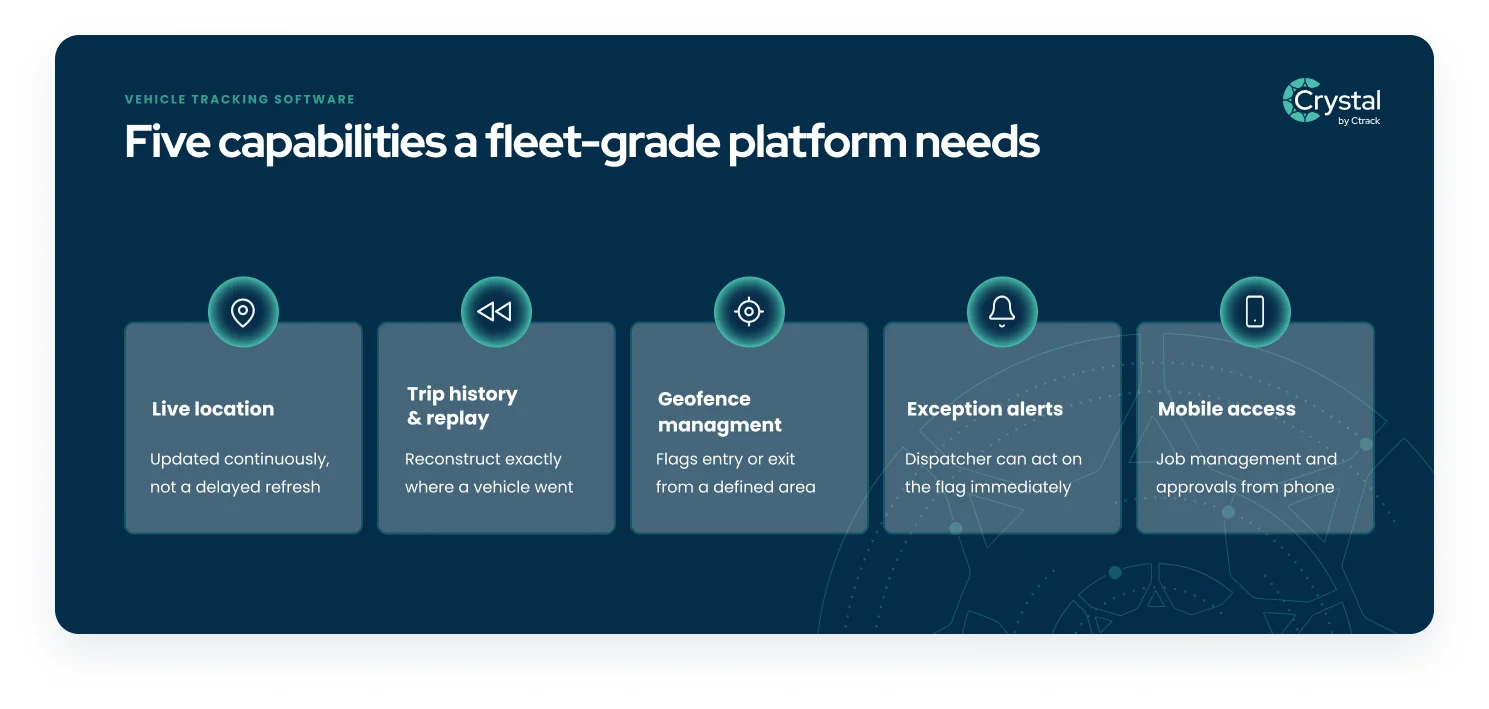
A fleet-grade platform needs five capabilities working together, not as separate add-ons bolted onto a basic map view. Live location shows where every vehicle is right now, updated continuously rather than on a delayed refresh. Trip history and replay let you reconstruct exactly where a vehicle went on a given day, useful for a customer dispute or a route review.
Geofence management flags when a vehicle enters or leaves a defined area, a depot, a customer site, or a restricted zone, without a dispatcher needing to watch the map manually. Exception alerts turn that geofence and behaviour data into a flag a dispatcher can act on immediately, such as a vehicle stopped somewhere it should not have. That same exception-alert foundation is also what powers stolen vehicle recovery when a vehicle moves somewhere it should not. That beats a report that surfaces the problem the next morning.
Mobile access rounds out the list. Crystal's mobile apps give drivers a job management view and give managers alerts and approvals from a phone. The platform is not something you only interact with from a desktop back at the depot. A vendor missing any one of these five is selling you a partial solution, however good the map view looks in a sales demo. If your fleet also moves non-powered assets like containers or trailers, check whether the same vendor offers specialised container tracking too, rather than bolting on a second system later.
Questions to ask Australian vendors about support and data hosting
Three questions separate a fleet-grade Australian vendor from a reseller of someone else's platform. First, where is the data actually hosted. Data sovereignty matters for compliance and for simple practicality.
Ask where your fleet records and backups are stored, and which access controls protect them.
Second, what is the support model and what is the realistic response time when something breaks. Ask for specifics, not a general assurance. Ctrack backs its platform with support and ISO 27001 security certification. Any vendor should be able to describe their support structure in the same concrete terms, rather than a vague reference to "24/7 help".
Third, what happens to your historical data if you switch providers down the track. Trip history, exception logs, and driver records are worth more the longer you hold them. A vendor who cannot describe a clear data export process at the point of sale is not planning for you to keep that data if you ever leave.
It is worth asking these three questions before you ask about price, not after. A cheaper platform that cannot answer where your data sits, or what support looks like at 6am, tends to cost more once the first real problem shows up.
How tracking connects later to maintenance, fuel, and safety
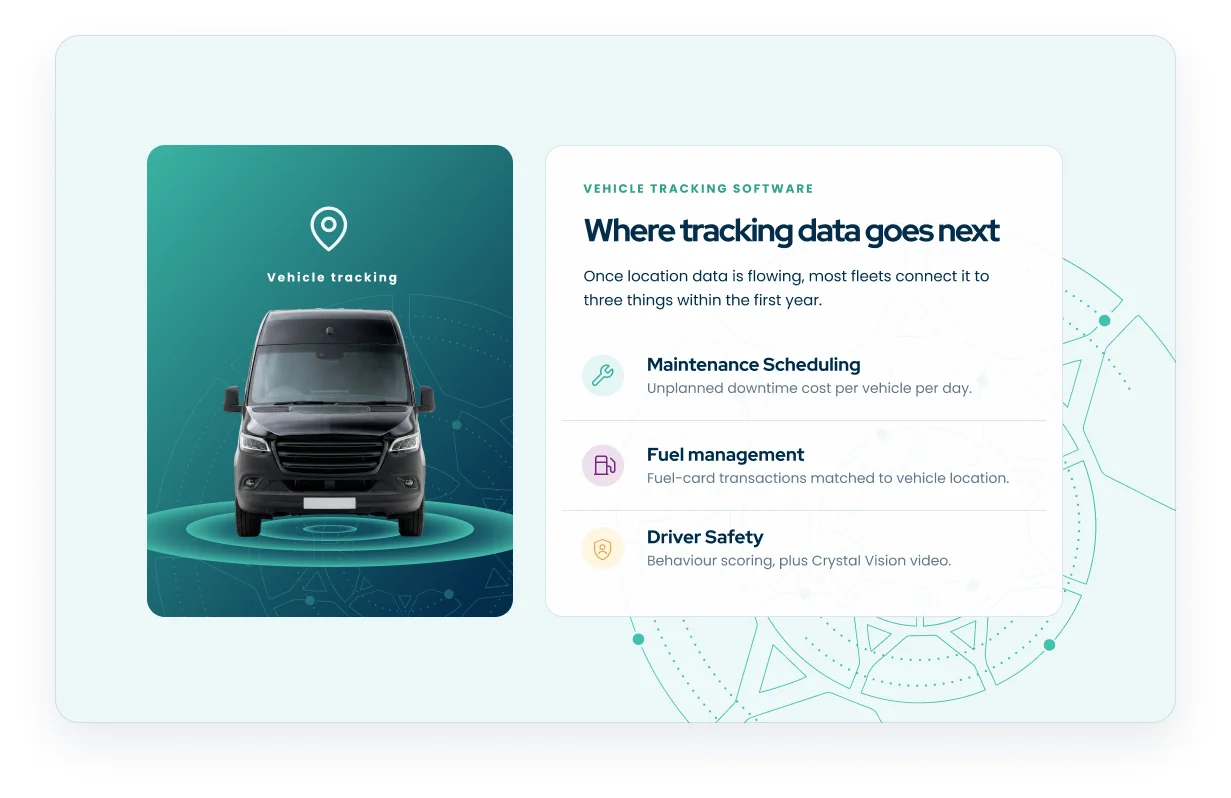
Vehicle tracking rarely stays a standalone tool for long. Once the location data is flowing, most fleets connect it to maintenance scheduling, fuel management, and driver safety within the first year. That is because the same GPS and engine-hour data that answers "where is the vehicle" also answers "when does it need a service" and "where is fuel being wasted".
Maintenance scheduling uses engine-hour telemetry instead of a driver-reported odometer to trigger services, shifting a workshop from reactive repairs to planned servicing. Unplanned downtime typically costs a fleet somewhere between $700 and $1,180 per vehicle, per day. That is the kind of number that makes a predictive service trigger worth having before the vehicle is the one broken down on the roadside.
Fuel management matches fuel-card transactions against the vehicle's actual location at the time of purchase. It gives finance a clean cost-per-kilometre figure instead of a reconciliation headache at month end. Driver behaviour scoring and, where fitted, Crystal Vision video telematics build on the same GPS foundation to turn "who is our riskiest driver" from a guess into an evidence-based scorecard.
None of this requires buying a second platform, if the tracking system you choose was built to extend this way from the start. That extensibility is worth checking during evaluation, not after you have already signed a contract and discovered the platform stops at the map view. Add the maintenance, fuel, and safety gains together and the underlying GPS fleet tracking ROI case becomes concrete rather than theoretical.
How to run a fair demo or pilot
A sales demo shows you the platform working on someone else's data, in ideal conditions, for twenty minutes. A pilot shows you the platform working on your own fleet, in your own conditions, for long enough to see the pattern that actually matters to your operation.
Most Australian fleets run a pilot across two to four weeks, using a representative subset of vehicles rather than the whole fleet on day one. That window needs to cover at least one full duty cycle, whichever mix of routes, stops, and driving conditions is typical for your operation. You want to see how the platform performs on a normal Tuesday, not just its best day.
Before the pilot starts, agree in writing what "working" looks like. Which exception alerts should fire, how quickly support responds to a setup question, and whether drivers will actually use the mobile app without resistance. A pilot that ends without a clear answer to those three questions has not told you anything you could not have guessed from the sales deck.
Involve the people who will use the platform daily, not only the manager signing the contract. A dispatcher who finds the exception alerts confusing, or a driver who avoids the mobile app, will quietly undo the value case you built during the sales process. A short pilot debrief with both groups, alongside the operations lead, surfaces that friction while you can still walk away.
Key takeaways
- Fleet-grade tracking answers different questions to a consumer GPS app: unverified stops, poor ETAs, and wasted kilometres, not just "how do I get there".
- A fleet-grade platform needs five capabilities working together: live location, trip history, geofences, exception alerts, and mobile access.
- Ask where the data is hosted, what the support model looks like, and what happens to historical data, before you ask about price.
- Vehicle tracking typically extends to maintenance scheduling, fuel management, and driver safety within the first year.
- Run a two to four week pilot across a representative subset of vehicles, and agree in writing what "working" looks like before you start.
Frequently asked questions
Fleet-grade software adds geofencing, exception alerts, driver and vehicle history, and fleet-wide reporting that a consumer navigation app was never designed to provide. A navigation app helps one driver find a destination. Fleet tracking software gives an operations team a live, fleet-wide view they can act on across every vehicle at once. For the fuller platform view across an entire fleet rather than a single vehicle, see fleet tracking.
Ask where the data is hosted, what the support model and response time look like, and what happens to your historical trip and exception data if you switch providers later. A vendor who cannot answer these three questions clearly at the sales stage is unlikely to answer them any better once you are a customer.
Long enough to see a full duty cycle, which for most Australian fleets means a two to four week pilot across a representative subset of vehicles before committing fleet-wide. Agree in advance what a successful pilot looks like, including exception alert accuracy, support responsiveness, and whether drivers actually use the mobile app without pushback.
Next steps
Choosing vehicle tracking software is easier once you have asked the right questions about capability, support, and data hosting, rather than judging on the map view alone. Book a demo to see Crystal vehicle tracking running against your own fleet conditions, not a sales script.
This article is general information, not legal advice.