



A dispatcher opens the roster at 7am. The schedule looks fine on paper: eleven jobs, eleven vans, no overlaps. By 9.15am, one van is stuck behind a truck rollover on the M1. A second job has run long, and a customer wants an earlier slot. The schedule was never wrong. It just could not see the road.
That gap between the plan and the day is where most field service teams lose time. It is also the reason "job scheduling" and "job dispatch" keep getting used as if they mean the same thing. They do not. Confusing the two is a common source of missed SLAs, double-booked drivers, and dispatchers stuck on the phone instead of managing exceptions.
The schedule was never wrong. It just could not see the road.
Scheduling and dispatch are different functions that need to work together, and live GPS data is what changes the quality of every dispatch decision.
Job scheduling: planning the work
Job scheduling is the planning layer. It answers who is doing what, and when, before anyone leaves the depot. A scheduler allocates jobs to technicians or drivers based on skills, availability, location zones, and customer time windows. The output is a plan for the day, week, or month ahead.
Done well, scheduling reduces the obvious conflicts. Two jobs booked for the same technician at once, a specialist sent to the wrong skill set, or a route that ignores where the previous job finishes. Most job scheduling software focuses on this allocation problem, and for static, predictable work it does the job.
The limitation shows up the moment the day starts moving. A schedule built the night before assumes every job takes the estimated time, every road runs at the estimated speed, and every technician starts exactly on time. Field work rarely behaves that way. Scheduling plans for an average day, and it does not adjust when the actual day diverges from that plan.
None of this is a flaw in scheduling software specifically. It is a structural limit of any tool that only operates before the vehicles leave the depot. A plan is a forecast, and forecasts are wrong the moment conditions change, whether that is traffic congestion, a longer job, or a customer rescheduling at 8am. The plan still has value. It just cannot be the last word on how the day actually runs.
Job dispatch: assigning and running the day
Job dispatch is the live-execution layer. It takes the schedule as a starting point and manages what actually happens once vehicles are moving. That means reassigning jobs when a technician runs late, sending the closest available vehicle to an urgent callout, and giving customers a real-time ETA instead of a morning estimate.
Where scheduling is a plan, dispatch is a series of decisions made throughout the day. A strong job dispatch in Crystal workflow gives the dispatcher visibility into which jobs are running to plan, which are slipping, and which vehicles have spare capacity right now.
This is also where most of the operational value sits. A schedule that looked perfect at 6am is only as good as the dispatcher's ability to adjust it by 10am, 1pm, and 3pm as real conditions change. In practice, the dispatcher needs three things at once: which jobs are on track, which vehicle has spare capacity nearby, and how a reassignment affects the jobs scheduled after it. A dispatcher without live data is estimating all three. Live data turns that estimate into fact.
Why field fleets need both in one workflow
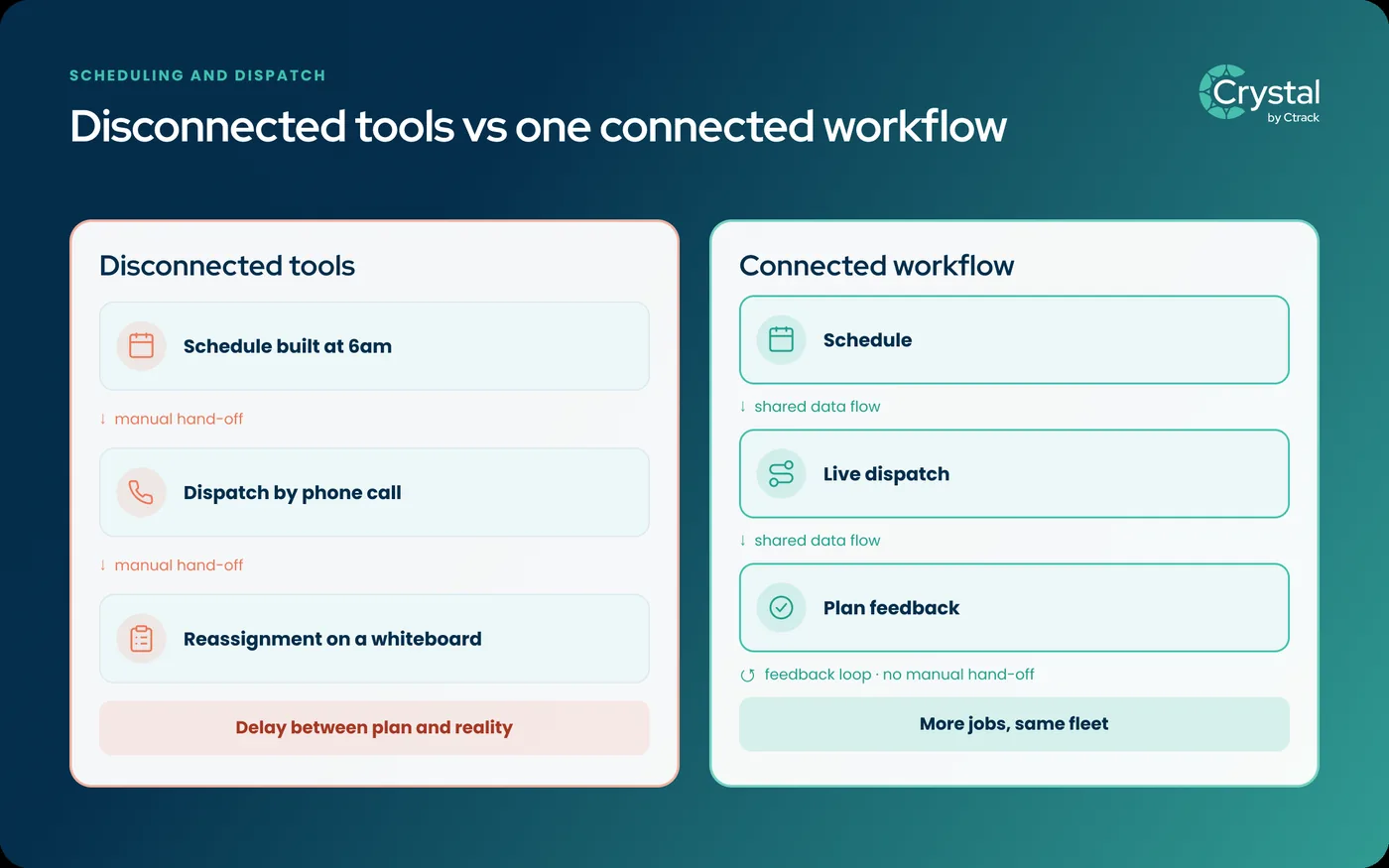
Treating scheduling and dispatch as separate tools creates a structural problem. The plan and the execution layer stop talking to each other. The scheduler builds tomorrow's roster from yesterday's assumptions, while the dispatcher fights today's reality with a phone and a whiteboard.
Field fleets get more from a single connected workflow than from stitching together a scheduling tool and a separate dispatch tool. When scheduling and dispatch share the same data, a job reassignment during the day automatically updates tomorrow's plan. A pattern of underestimated job durations also feeds back into how future jobs get scheduled.
This connection is where the REVENUE pillar shows up in practice. Multi-stop routing that accounts for real traffic conditions and driver-hour constraints, not just straight-line distance, cuts the wasted kilometres a straight-line plan cannot see. That frees up capacity for more jobs without adding a single vehicle. The same fleet completes more jobs in a day when dispatch decisions reflect what is actually happening, not what the 6am plan assumed.
Role of live vehicle location in dispatch quality
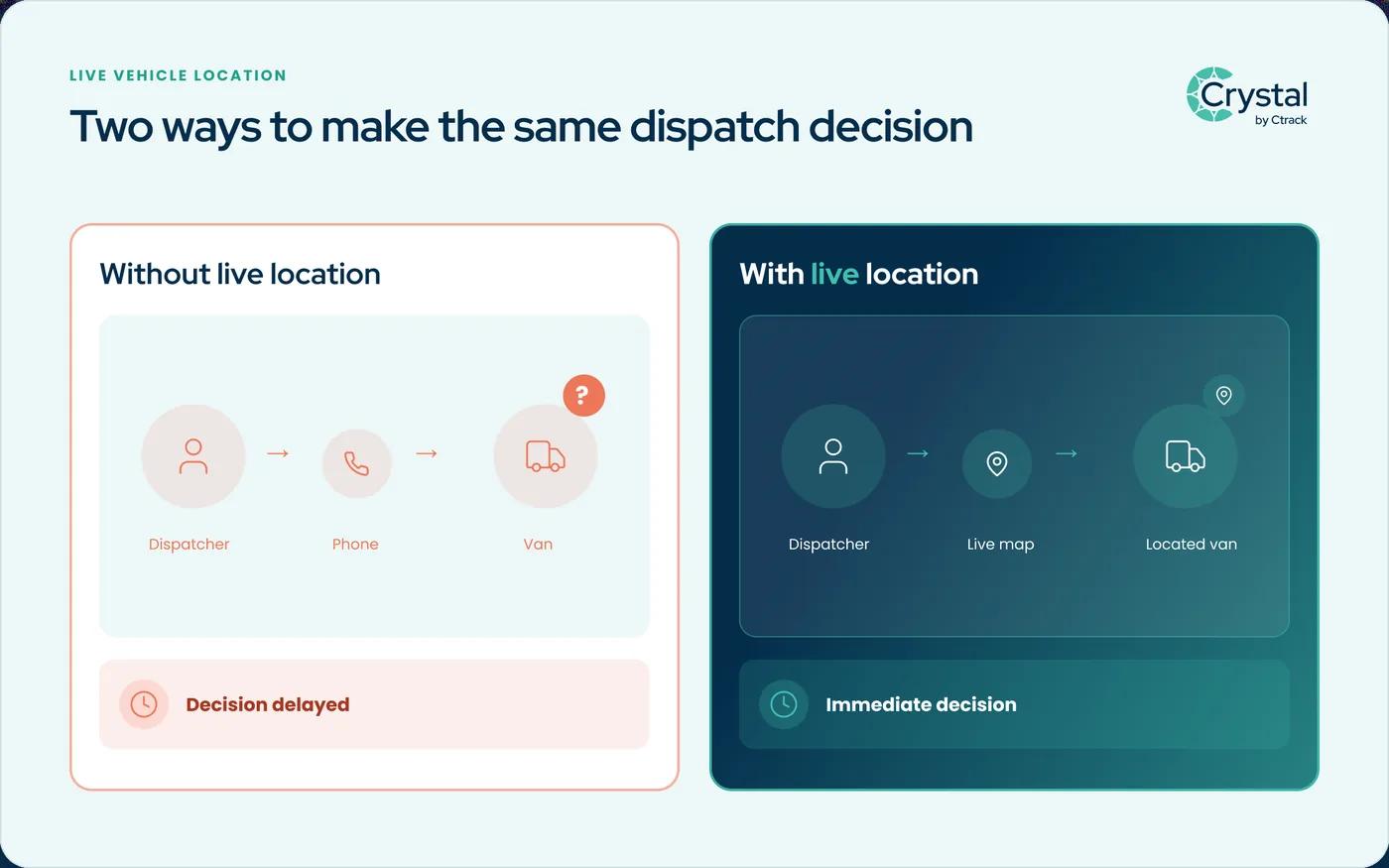
Dispatch decisions are only as good as the information behind them. A dispatcher reassigning a job needs to know which vehicle is closest right now, not which vehicle was closest according to the last check-in call. This is where live GPS location changes the quality of the decision.
Without live location, dispatch runs on stale ETAs and secondhand updates. The dispatcher calls the driver to ask where they are, waits for a reply, then decides based on information that may already be ten minutes old. With live vehicle location feeding the dispatch view, the same decision takes seconds. Customer ETAs can also broadcast automatically off that live position, cutting down the "where's my driver" calls that eat into a dispatcher's day.
The core reason job scheduling and dispatch fails for many field teams is straightforward. Most commonly, the schedule was built without live vehicle location, so every dispatch decision compounds a small information gap into a bigger one. By mid-afternoon, the whole day's plan is running on guesswork.
What "job management" tools often miss for fleets with telematics
Generic job management or field service management platforms are often built for teams without vehicles in the equation. They handle the job record, the customer notes, and the invoice. Vehicle location gets treated as an optional add-on, if it is included at all.
For a field fleet, vehicle location is not optional. It is the input that makes every scheduling and dispatch decision realistic instead of theoretical. A job management tool not built around telematics data typically needs a second system, and often a manual export step, to bring live location into the picture at all. Getting that foundation right starts with choosing vehicle tracking software built for fleets, not one where location was added on afterward.
That gap tends to show up first in reporting, not in the field. A fleet manager reviewing last week's on-time performance from a job management tool alone is working from job-completion timestamps, not from what the vehicle was actually doing between stops. A fleet analytics layer built on the same telematics data closes that gap. Utilisation, route adherence, and job outcomes sit in one dataset instead of two systems that never quite agree.
Fleets running Crystal do not need to bolt a separate tracking layer onto a job management tool. Scheduling and dispatch decisions draw on the same GPS data used across the rest of the fleet. That means the dispatcher sees live location, route optimisation suggestions, and job status in one view rather than three. Multi-stop optimisation factors in live traffic and driver-hour limits when it builds the route, rather than treating routing as a separate calculation bolted onto the job list.
Key takeaways
- Scheduling is the planning layer and dispatch is the live-execution layer. They solve different problems, and neither replaces the other.
- A plan is a forecast, and forecasts break down the moment conditions change, whether that is traffic, a longer job, or a reschedule.
- Dispatch decisions are only as good as the location data behind them. Live GPS turns a stale, secondhand ETA into a real-time one.
- Generic job management tools often treat vehicle location as an optional add-on. For a field fleet, it is the input that makes decisions realistic.
- Field fleets get more from one connected scheduling and dispatch workflow than from stitching together two separate tools.
Frequently asked questions
Scheduling is the planning layer. It decides who is doing what, and when, based on skills, availability, and customer windows. Dispatch is the live-execution layer that manages the day as it actually unfolds: reassigning jobs, redirecting vehicles, and updating customers when the plan and reality diverge. Both matter, but they solve different problems, and neither replaces the other.
The most common failure point is a schedule built without live vehicle location. When the plan does not know where vehicles actually are, dispatch decisions get made on stale ETAs and secondhand information. Dispatchers end up phoning drivers to check status instead of seeing it on a live map. That slows every reassignment and erodes trust in the plan.
Not necessarily. Field fleets that already run vehicle telematics often get more value from one connected scheduling and dispatch workflow than from stitching together two separate tools. A connected workflow means a live reassignment during the day flows back into the schedule automatically, instead of living in a different system reconciled later.
See job scheduling and dispatch in Crystal
Book a demo to see how live vehicle location connects scheduling and dispatch in one workflow, built for fleets that need both the plan and the day to hold up.
This article is general information, not legal advice.